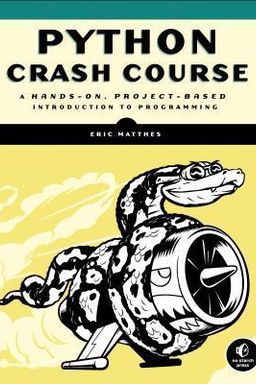
Python Crash Course cover

Python Crash Course

by Eric Matthes

Python Crash Course is the ultimate guide for beginners eager to dive into programming. Unlock the power of Python through practical projects, from building web apps to crafting visual data narratives, and equip yourself with essential coding skills for the digital age.

From First Code to Full-Scale Python Projects

How do you move from typing your first Hello World to building a full web application or data visualization? In Python Crash Course, Eric Matthes argues that programming mastery comes from building steadily—from basic syntax to complete, working systems. He contends that you learn most by making: writing small programs that work, then expanding them step by step to handle complexity, data, and user interaction.

This book follows a carefully designed progression. You begin by setting up your Python environment and verifying it with a one-line print statement. Then, you master variables, strings, numbers, and comments—the building blocks of logic. Lists, dictionaries, loops, and conditionals soon follow, enabling you to manage dynamic data and automate behavior. Functions and classes introduce organization and reuse, while modules, file handling, and testing turn your snippets into maintainable systems. Finally, you apply everything through creative projects: a 2D game built with Pygame, data visualizations using Matplotlib and Pygal, and a web app powered by Django.

Python as a Tool for Thinking

Matthes positions Python not just as a programming language but as a medium for clear thought. Its readability and flexibility—embodied in the Zen of Python (“Readability counts,” “Simple is better than complex”)—shape how you reason about problems. Early chapters emphasize clarity: naming variables descriptively, writing comments that reveal intent, and using indentation to express structure. Each small script reinforces that programming isn’t magic—it’s structured communication between you and the computer.

Practice Through Projects

The second half of the book applies all prior lessons to real projects. You build an arcade-style game, Alien Invasion, using object-oriented design, event handling, and sprite management; then you shift to analyzing data visually with Matplotlib and Pygal, and finally create an online journal using Django. Each project integrates new tools—Pygame for graphics, Requests for APIs, and JSON for persistent data—without overwhelming you. The key idea is cumulative learning: every project reuses earlier skills in new contexts.

Learning by Doing and Debugging

Central to Matthes’s teaching is the idea that errors are essential. From mis-typed variables to malformed loops, the book encourages exploration, failure, and correction. Exercises like deliberately introducing a typo in hello_world.py build your diagnostic instincts early. By the time you’re writing Pygame programs, the same mindset helps you troubleshoot frame timing, boundary conditions, and game state logic. (Note: This practical approach parallels Al Sweigart’s Automate the Boring Stuff, which likewise privileges experimentation over theory.)

A Complete Path from Foundations to Mastery

The full arc of Python Crash Course mirrors a professional’s workflow: write quick scripts for feedback, refactor into reusable components, extend with external libraries, then deploy. In the final Django section, you integrate models, forms, authentication, templates, and cloud deployment, confirming that Python can scale from a console window to the web. The process cultivates not just syntax expertise, but the deeper skill of thinking like a programmer—breaking complex goals into manageable tasks, testing assumptions, and crafting code that others can read and evolve.

Core Message

Learning to code isn’t about memorization—it’s about building, refining, and connecting ideas. Each chapter expands your toolkit and your problem-solving confidence, showing that mastery in Python is the mastery of iteration itself: try, test, and evolve.

By the end, you hold not only working programs but the mindset to tackle new domains—scientific computing, web development, or automation—with curiosity and clarity. Matthes’s structure ensures you build fluency, not dependency: every skill connects to a tangible example, forming a bridge from “Hello World” to professional code.


Mastering Python Fundamentals

After confirming your setup, you begin learning how Python represents and manipulates data—the lexicon of all later work. This stage transforms raw syntax into expressive code. You learn how to name variables, manipulate strings, perform arithmetic, comment your reasoning, and structure control flow through conditional logic. These chapters teach not only what Python does but the patterns of clear, bug-resistant thought that underlie every program.

Variables and Data Types

A variable in Python is a label bound to data. Assigning message = "Hello, Python world!" both stores and names that text, and the variable can later be reused. You learn early habits like consistent naming, using str() to convert numbers into strings for concatenation, and respecting case sensitivity. Arithmetic and the % operator reveal how Python treats numbers and expressions as objects you can inspect and transform.

Comments and Readability

Every script you write should explain itself. Comments prefixed by # provide this metadata. Matthes introduces the Zen of Python—a philosophical checklist that orients you toward simplicity and transparency. Each principle (“Errors should never pass silently,” “Flat is better than nested”) becomes a subtle rule of design, influencing how you write functions, classes, and even variable names later.

Lists, Tuples, and Loops

Lists are the first complex structure you command. You manipulate data collections with append(), insert(), and del, slice lists to retrieve subsets, and iterate with for loops to process repetitive patterns. You also experiment with comprehensions for concise construction, bridging data and expression elegantly. Alongside, if statements and Boolean operators (and, or, in) introduce logic as control—how your code decides which path to take.

Design Principle

Early emphasis on small, clean programs trains you to think like a reader: code is for humans first. By developing this discipline early, you create habits of structure that scale to entire modules later.

This foundation equips you for abstraction: once you can manage values, you can organize behavior into functions and then objects. The elegance of Python’s simplicity encourages readable design from line one.


Building Structure: Functions and Modular Thinking

With confidence in syntax, you next learn to organize actions into reusable components—functions. Their clarity reduces redundancy and clarifies logic. Matthes treats this as a mental shift: from repeating steps to abstracting intent.

Defining and Calling Functions

A function, defined by def, isolates a task and names it succinctly. For example, def greet_user(name): embodies both input and action. You explore positional arguments (where order counts) and keyword arguments (where names convey meaning), and create defaults to make parameters optional.

Returns and Data Abstraction

Returning values like dictionaries (build_person()) reinforces composition: functions become factories for data. Later, when designing APIs or classes, this structure helps you separate computation from presentation.

Arguments and Mutability

Passing lists demonstrates how references work. By manipulating copies (list[:]) rather than originals, you preserve state predictably. Likewise, using *args and **kwargs teaches flexibility, preparing you for frameworks that accept variable parameters like Flask or Django.

Modularity and Imports

Storing functions in modules (e.g., pizza.py) lets you reuse logic across projects. You practice importing whole modules or specific functions and explore aliasing to shorten code. This modular approach is the foundation of maintainable software—it’s how real developers build libraries and packages.

Takeaway

By turning repeated actions into named functions, you elevate from coder to designer. Functions become the unit of thought in Python—each testable, portable, and readable on its own.

These habits culminate later in your Pygame and Django projects, where functions serve as building blocks for interactivity and backend behavior.


Objects, Classes, and Structured Design

Once functions clarify behavior, you need a way to model entities that combine data and actions. Classes provide this. Matthes introduces object-oriented programming through examples like Dog, Car, and ElectricCar, showing how code can mirror the real world.

Attributes and Methods

In Dog, attributes (name, age) describe the instance, and methods (sit(), roll_over()) express behavior. The special __init__() method initializes each object, and self gives every instance its own copy of data. You learn to update internal state safely through methods like update_odometer(), reflecting larger principles of encapsulation and data integrity.

Inheritance and Composition

You derive specialized classes with class ElectricCar(Car):, reusing and extending existing logic. When a class grows unwieldy, composition fits better than inheritance—e.g., embedding a Battery class inside ElectricCar. This pattern divides responsibility, much like microservices in web design.

Modules and Organization

As your classes multiply, storing them in modules improves manageability. Importing from car import ElectricCar keeps main scripts readable, mirroring best practices in production frameworks. Matthes connects these habits to larger design ethics: clarity through separation of concerns.

Mastering classes prepares you for any domain where behavior and state intertwine—from game entities to web models. It teaches software architecture as craft, not accident.


Data Persistence and Testing

Until now your programs vanished when they ended; next you make them remember. Reading and writing files, handling exceptions, and storing JSON data introduce persistence and resilience. Pairing these with unittest brings accountability: your code works not by luck, but by proof.

File Input and Output

Using with open() ensures files close automatically. You read contents, strip whitespace, and write or append lines with 'w' and 'a' modes. The pi_digits.txt and programming.txt examples illustrate string joining and formatting for structured output.

Handling Exceptions

A try/except block turns runtime surprises into manageable responses. Capturing ZeroDivisionError or FileNotFoundError lets your app continue gracefully, key for user trust. Sometimes you print a friendly message; other times, silence (pass) is ideal for optional files.

JSON Storage

JSON serialization via json.dump() and json.load() bridges Python and the web. Examples like remember_me.py show modular functions that store usernames and preferences—early versions of modern persistence layers in web frameworks.

Automation with Unit Tests

The unittest framework formalizes feedback: you write tests that verify function output with assertEqual() and similar methods. The TestAnonymousSurvey case demonstrates reusable setup and teardown patterns. Testing thus becomes another form of learning—structuring expectations and detecting regressions automatically.

Persistence and testing complete your toolkit for reliability. Paired, they establish confidence—the ability to refactor fearlessly because your code both remembers and proves itself.


Creating Interactive Games with Pygame

In the book’s mid-project climax, you build Alien Invasion—a polished arcade shooter using Pygame. This project puts motion, state, and interaction into harmony. You learn architecture through play: event loops, sprite groups, and real-time updates replace static output.

Entities and Movement

Pygame treats every visual object—the ship, bullets, aliens—as rectangles (rects) with coordinates. Position and collision become geometric calculations, not guesswork. Managing self.rect.centerx and self.center precursors concepts like physics engines. Decimal values ensure smooth movement across frames, differentiating between per-frame math and pixel rendering.

Event Handling

You separate input from action through game_functions.py. Keyboard presses set flags; updates interpret them. This decoupled design—respond, update, draw—mirrors game loop architectures industry-wide. Bound checks prevent the ship from leaving screen edges, showing how simple rules form satisfying control.

Sprites and Groups

Sprites represent moving objects. Groups batch their updates and draws, so bullets or aliens scale without complexity. Deleting off-screen bullets prevents performance leaks—a micro-lesson in resource management relevant even to larger systems.

This project weaves together all earlier programming ideas—loops, classes, logic—into a running, visual system. It’s a celebration of clarity under pressure: simple components, perfectly aligned.


Scaling Gameplay and User Feedback

As you refine Alien Invasion, you give it life beyond mechanics—scoring, difficulty adjustments, and user interface. The project evolves from a toy into a full game experience that balances user control with challenge.

Alien Fleet Dynamics

Matthes guides you to compute alien spacing using geometry, not guesswork: available screen space divided by alien width defines fleet layout. Edge detection flips direction and drops the fleet—a compact algorithm demonstrating how logic translates into animation. Collisions clear bullets and aliens together through group intersect calls, turning code into kinetic cause and effect.

Interface and Scoring

A Scoreboard class renders points, levels, and remaining ships to the screen using fonts. The Play button creates a user-driven entry point while mouse clicks are captured through rect collisions. Reset logic couples gameplay and UI through shared GameStats, ensuring synchronization between visuals and state.

Dynamic Difficulty and Progression

Progression is made continuous via scaling functions: ai_settings.increase_speed() multiplies movement velocities and alien point rewards each round. This keeps engagement intact and pace rising. High-score tracking persists, connecting play sessions into ongoing feedback.

Design Lesson

Good games mirror good programs: small changes propagate predictably. By centralizing scaling and state, you simplify tuning and maintenance—a principle that applies far beyond gaming.

Integrating gameplay, scoring, and user input demonstrates complete system thinking—balancing logic, design, and user psychology in equal measure.


Visualizing Data: From Numbers to Narratives

With your programming muscles built, Matthes shifts toward data—how to transform raw input into insights. Using Matplotlib, Pygal, and external datasets, you learn visualization as storytelling: shapes and colors that explain patterns rather than just display them.

Plotting and Random Walks

You start with mpl_squares.py, turning lists into line graphs, before experimenting with scatter plots colored by value intensity. RandomWalk introduces stochasticity: sequences generated by probability rather than formula. The resulting point clouds illustrate how small random choices create beautiful, repeatable structure—perfect metaphors for programming creativity itself.

Data Sources: CSV and JSON

You parse sitka_weather_2014.csv and population_data.json to plot temperatures and world populations. The csv.reader and json.load() libraries handle real-world datasets, full of missing or inconsistent values. Defensive programming—try/except, conditional key checks—prepares you for the messy reality of real data work.

Interactive Charts

Using Pygal, you build dynamic world maps shaded by population and interactive bar charts for GitHub repositories and Hacker News stories. By linking chart elements directly to URLs, you transform static analysis into exploratory dashboards—lightweight yet powerful examples of data-driven design.

Through visualization, Matthes expands programming beyond mechanics: you turn logic and numbers into communication, the bridge from analyst to storyteller.


From Local Projects to Web Apps

The book concludes with a full-stack leap: the Learning Log Django project. Here, everything you’ve learned—functions, classes, persistence, and testing—meets real users. You design, deploy, and secure a live web application.

Data Models and Relationships

You define Topic and Entry models tied by foreign keys, mirroring relational database logic. Django’s ORM abstracts SQL, allowing queries like Topic.objects.all() to return usable objects. This demonstrates how classes evolve into full data models in web contexts.

Templates, Forms, and Views

Views connect URLs to logic, and templates combine HTML with Django’s templating syntax. Using ModelForm automates validation and code reuse. You learn to include CSRF tokens, realizing that web code must balance usability with security from the start.

Authentication and Deployment

With a users app, you integrate login control, permission checks, and ownership logic (topic.owner == request.user). On deployment, Heroku setup introduces environment variables, static files, and external databases. You finalize with Git tracking and turn off DEBUG for production safety.

Milestone

Deploying a working web app marks transformation: from Python learner to builder. You’ve bridged code to community—software that not only runs, but serves.

This final project exemplifies the book’s entire journey: modular thinking, user-focused design, and disciplined iteration applied at scale. It closes the loop from your first print statement to a public web service.

Dig Deeper

Get personalized prompts to apply these lessons to your life and deepen your understanding.

Go Deeper

Get the Full Experience

Download Insight Books for AI-powered reflections, quizzes, and more.