
Idea 1
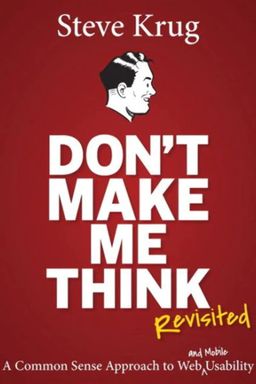
Don’t Make Me Think: The Essence of Effortless Usability
Have you ever landed on a website and immediately felt lost—wondering where to click next or what on earth the company even does? In his classic on usability, Don't Make Me Think!, Steve Krug argues that the best websites are those that don’t force visitors to think. Every extra moment of hesitation—each microsecond of confusion—adds to the user's cognitive load, pushing them closer to frustration and away from what they came to do. Krug’s first law of usability is clear: don’t make me think.
Krug contends that designers’ biggest mistake is assuming users will stop and read, carefully reason, and logically move through a website. The truth is, users are scanning, clicking, guessing, and muddling through. They’re not reading—they’re doing, and they want to do it fast. Understanding this simple reality transforms how you see digital design. Instead of building based on internal preferences or aesthetics, Krug urges readers to prioritize intuitive clarity. The less users have to figure out, the more confident—and satisfied—they’ll feel.
Why Thinking Hurts the User Experience
Krug likens the user’s cognitive energy to a limited reservoir. Each time you make them stop to ask, “Is that clickable?” or “What do they mean by this?” you drain that reservoir. For example, he points out how ambiguous labels—like naming a job listing section “Career Central” instead of the obvious “Jobs”—force users to stop, interpret, and wonder if they’re in the right place. Even tiny details like inconsistent button colors or unclear icons can cause micro confusion that accumulates over time. The result: higher abandonment rates, lower user confidence, and frustration with your brand.
Instead, Krug advocates for obviousness over cleverness. A page should be so self-evident that someone landing on it for the first time can say within seconds, “Oh, this is a banking site,” or “This is where I log in.” Elegance comes not from complexity or novelty, but from simplicity so clear it disappears into the background. In Krug’s world, the perfect website is one that looks like it “just works.”
How We Really Use the Web
To support his argument, Krug outlines three “facts of life” about real users. First, we don’t read pages—we scan them. Web visitors are like sharks—they have to keep moving or they’ll die. Second, we satisfice instead of optimize. Borrowing from Herbert Simon’s idea of “satisficing,” Krug notes that users don’t pick the best option—they click the first one that looks good enough. Finally, we muddle through. Most of us don’t fully understand how things work—we just poke around until something does. The takeaway? If your design depends on people reading directions or following logical steps, it’s already failing.
This framing flips traditional design thinking. It’s not about making something “clever” or innovative; it’s about aligning with what people actually do online. In a world where every second counts, the winning sites are those that take thinking off the table altogether.
Clarity Is Emotional
Krug also highlights the emotional undercurrent of usability. A website that “just works” makes users feel smart and in control; a confusing one makes them feel stupid and anxious. Like a well-lit store, a clear site radiates trust and confidence. You may not consciously register it, but you feel it—and that feeling determines whether you return. He writes that clear design is like providing good lighting in a shop: everything simply looks better when it’s easy to navigate.
In essence, Don’t Make Me Think isn’t just a guide to web usability—it’s a manifesto for empathy. By viewing design through the eyes of the distracted, hurried, impatient human being behind the screen, you uncover what truly matters. Throughout the book, Krug lays out principles for web navigation, homepages, writing, testing, collaboration, and accessibility—all driven by one simple truth: the less users have to think, the more they’ll enjoy what you’ve made.
Across its pages, you’ll learn why people scan instead of read, how to use conventions wisely, why usability testing trumps opinion-based debates, and how being considerate to users builds long-term trust. Whether you’re designing a small site or an enterprise system, Krug’s bottom line stays the same: Don’t make them think—make them smile by making things easy.